▶ Listen to this article
If you have landed here, you have likely seen a chat window pop up on a website and wondered what is running behind it. What is an AI chatbot, exactly, and how is it different from the clunky help boxes of a decade ago? The short answer: an AI chatbot is software that uses machine learning and large language models to hold a conversation with you in natural language, rather than following a fixed script. This guide unpacks what an AI chatbot is, how it works, the key difference from rule-based bots, and how businesses actually use one.
What Is an AI Chatbot?
A chatbot is a computer program designed to simulate a conversation with a human user. The phrase AI chatbot narrows that definition: it is a chatbot powered by artificial intelligence, usually a large language model (LLM), that can understand a question in natural language, work out roughly what you mean even when your wording is imperfect, and generate a reply that reads like it came from a person.
The key distinguishing feature is flexibility. A traditional bot matches your input against a list of pre-written rules, so a slightly different phrasing breaks it. An AI chatbot interprets meaning and can answer questions it has never seen before because it was trained on enormous amounts of text. That is why a modern AI chatbot can handle open-ended questions, small talk, and follow-ups, while older bots could only handle a handful of scripted paths.
Chatbots With AI vs Rule-Based Chatbots
To understand what an AI chatbot is, it helps to set it against the alternative.
| Trait | Rule-Based Chatbot | AI Chatbot (LLM-based) |
|---|---|---|
| How it decides what to say | Matches keywords to a fixed decision tree | Generates a reply from a language model based on meaning |
| Understands phrasing changes | No — any rewording can break it | Yes — understands meaning, not just keywords |
| Handles new/unseen questions | No — only scripted paths | Yes — can reason about novel inputs |
| Maintenance | Every new intent must be added by hand | Learns from the model, not manual rules |
| Conversation flow | Rigid, step-by-step | Natural, can change direction |
| Best for | Simple, predictable tasks (resets, status checks) | Open-ended questions, support, sales |
Rule-based chatbots have been around since the 1960s, when early programs like ELIZA used simple pattern matching to mimic a therapist. AI chatbots built on modern language models only became practical in the early 2020s and have since become dramatically better and cheaper. If you want the full scholarly background on how the field evolved from those early pattern-matching systems to today’s language models, the chatbot history on Wikipedia is a good starting point.
What Chatbots Do in the Real World

It helps to think about what an AI chatbot actually does for a visitor, not just how it is built. When someone lands on a website and asks the chat widget “Do you ship to Serbia?” or “Does this work with WooCommerce?”, they do not care whether there is a neural network inside. They care that they get a fast, correct, useful answer. An AI chatbot earns that trust by being genuinely helpful rather than clever-sounding.
In practice that means a good AI chatbot keeps a few promises. It answers in seconds, it stays consistent with what the business actually sells, it remembers what was already said, and it knows when to hand the conversation to a real person. The best deployments are the ones you barely notice: the bot quietly resolves the routine questions, and a human only appears for the conversations that need judgment, empathy, or a decision. That division of labour is what makes an AI chatbot economical — it is not replacing people, it is absorbing the repetitive load so people can spend their time on the work that actually needs them.
There is also a question of who owns the conversation. With a hosted AI chatbot, every message your visitor sends is routed to a third-party server, stored on infrastructure you do not control, and occasionally used in ways you have to trust. With a self-hosted AI chatbot, the conversation lives in your own database and runs against an API key you control. For a site that collects emails, takes orders, or handles anything sensitive, that distinction matters more than the model behind the answers.
How an AI Chatbot Works
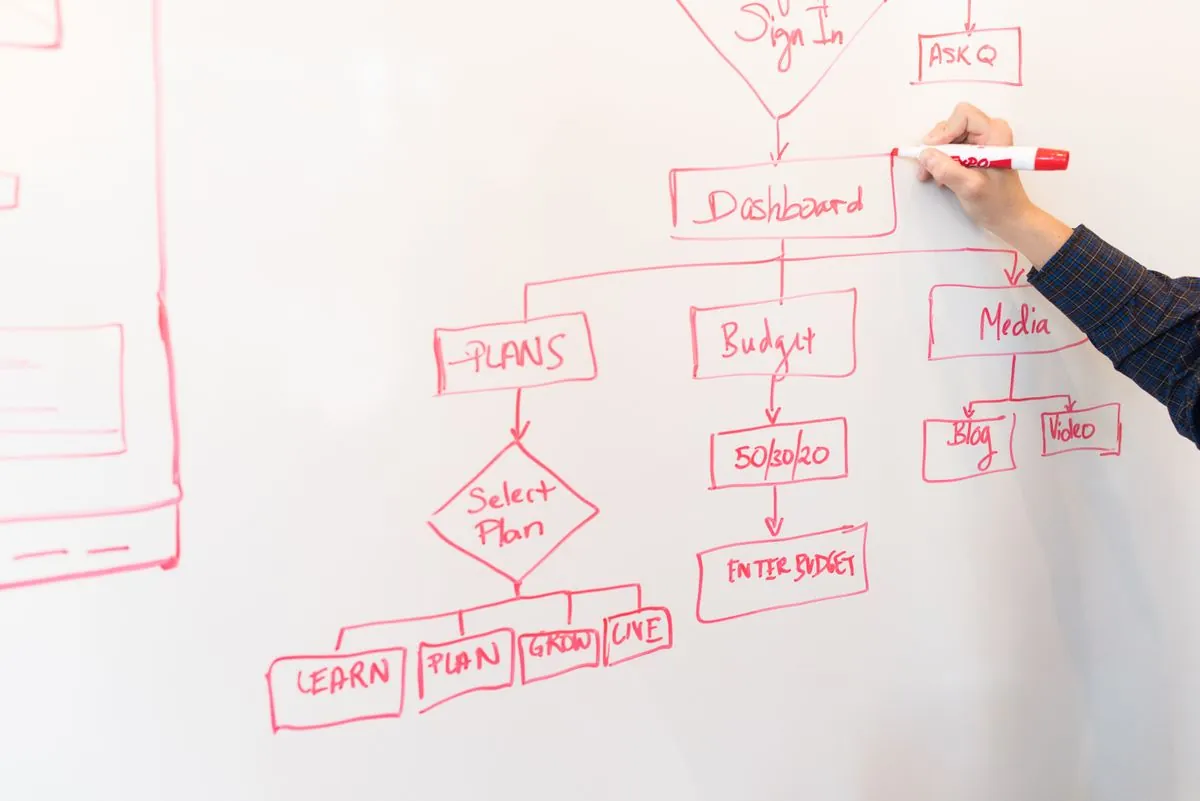
Under the hood, an AI chatbot is powered by a few connected pieces.
Large Language Models
The engine is a large language model trained on a vast amount of text. When you type a question, the model predicts the most likely next words and generates a coherent reply. Models from providers like Google Gemini, OpenAI, or open-source options all do this, and the quality varies widely between them.
Understanding Meaning, Not Just Keywords
Because the model was trained on language, it understands meaning. Ask “how much does this cost” and a good AI chatbot can surface the pricing page even if the phrase “cost” never appears there. This semantic understanding is what separates a modern AI chatbot from a keyword-matching bot.
Grounding with Your Own Content (RAG)
Many AI chatbots for websites do not rely on the model alone. They use retrieval-augmented generation, or RAG: the bot first looks up relevant content from your site or knowledge base, then feeds that context to the model so the answer stays grounded in your real information. This dramatically reduces the chance of the chatbot inventing a wrong answer, because it answers from your actual pages. You can read more about how this works in our look at semantic search for chatbots.
Memory and Context
A good AI chatbot remembers what was said earlier in the conversation so follow-ups like “and what about the paid plan?” make sense. This conversational memory is a big part of why people describe modern chatbots as feeling human.
Guardrails and Safety
Reputable AI chatbots then apply guardrails so they do not answer harmful, off-topic, or legally risky questions. On a business website, these rules keep the bot safely within the role you gave it, such as “support only.”
The Main Types of Chatbots
AI chatbots are not one thing. They tend to fall into a few common roles.
Customer Support Chatbots
These answer common questions, resolve simple issues, and hand off to a human when needed. They are the most widespread use case and the biggest driver of reduced support ticket volume.
Sales and Lead Generation Chatbots
These qualify visitors, answer product questions, and capture contact details — an email address or a buyer signal — before a human salesperson picks up. On a WooCommerce or business site, this can turn anonymous visitors into a warm lead list.
Internal and Explain Chatbots
Many companies deploy a chatbot that answers questions about their own documentation, policies, or products for employees or curious visitors. Because it is grounded in the company’s own content, it gives consistent, accurate answers.
Ecommerce and WooCommerce Chatbots

Shops use AI chatbots to answer shipping, returns, and product questions, and to guide customers toward a purchase. A free WooCommerce chatbot can add instant answers without a monthly SaaS commitment.
Personal Assistant Chatbots
These are your everyday conversational assistants that help with research, writing, planning, and day-to-day tasks. The same underlying technology powers both a personal assistant and a business chatbot.
Why Businesses Add a Chatbot to Their Website
There are four reasons that consistently come up when owners explain why they added one.
Round-the-Clock Availability
An AI chatbot answers questions at 2 a.m. on a weekend. It never sleeps, never takes a break, and never keeps a customer waiting for a reply that may never come.
Lower Cost and Faster Answers
Because a chatbot handles the repetitive 80 percent of questions, human staff can focus on the cases that genuinely need them. That lowers support cost and cuts average response time.
Lead Capture Without Friction
Sales chatbots can quietly collect an email the moment a visitor shows buying intent. Instead of forcing a visitor to find a contact form, the bot captures the lead inside the conversation.
Data You Actually Own
One of the biggest differences between options is where the conversation data lives. With a self-hosted AI chatbot, every conversation stays in your own database and your own infrastructure, which matters for privacy and compliance. Many owners specifically value the control that comes with why bring-your-own-key matters.
Chatbots and WordPress: What Fits You
If your website runs on WordPress, you have a wide range of choices, from SaaS widgets you paste in to self-hosted plugins you install yourself. The right one depends on a few practical questions.
Are you willing to pay a monthly subscription? If you prefer no recurring fee and full control, a self-hosted plugin that runs on your own hosting and uses your own API key is worth a serious look — and it is the approach we built YakWP around. To see how much setup really takes, read our guide on how to add an AI chatbot to WordPress in 5 minutes.
Do you want a ready-made comparison first? Reviewing the available options side by side saves time, and we keep a running comparison of the best free chatbot for WordPress.
How to Evaluate a Chatbot Before You Commit
Because so many AI chatbots look similar on paper, it pays to judge them on the things that actually affect your day-to-day experience. Start with the model. A chatbot is only as good as the language model powering it, and models differ a lot in accuracy, tone, and how naturally they follow instructions. Check which providers it supports and whether you can bring your own key rather than being locked into whatever the vendor bundles.
Next, look at how the chatbot gets its knowledge. The best AI chatbots for a business website pull from your own content so they answer from what is actually true about your product, rather than from general training data. This grounding is what stops an AI chatbot from inventing a pricing detail or a feature that does not exist. Ask specifically whether the tool indexes your pages and keeps that index updated automatically, because a static knowledge base quickly goes stale.
Then think about the edges, not the happy path. What happens when a visitor asks a question the bot cannot answer? Is there a clear handoff to a human? Can you see and export the conversations? Is there rate limiting so the bot cannot be abused? And critically for any business, where does the data go — does it stay in your control or pass through a vendor’s servers? A platform that answers these honestly is far more trustworthy than one that only shows off a polished demo.
Finally, weigh the total cost. A hosted AI chatbot usually arrives as a monthly subscription, and that recurring fee can grow as your traffic and conversations grow. A self-hosted AI chatbot with your own API key typically has no subscription at all — your only ongoing cost is the model usage you already pay for, often on a free tier. For a small site or an agency running several client sites, that difference can be substantial over a year.
How to Choose the Right Chatbot
Choosing between the many AI chatbots available comes down to four decisions.
Self-Hosted vs SaaS
A hosted service is the fastest to set up but adds a monthly fee and routes your visitors’ conversations through a third-party server. A self-hosted option runs on your own hosting, keeps your data local, and typically has no recurring cost — you just pay for your own API key usage.
Bring Your Own Key vs Included Model
Some plugins bundle a model into the subscription price. Others let you connect your own API key from a provider like Google Gemini or OpenAI, which can be far cheaper and gives you a choice of models, from free-tier options to high-end ones. This freedom is exactly what BYOK is about.
Free vs Paid Feature Set
Most good plugins have a genuinely usable free tier and a paid tier that adds extras like branding removal, export, or custom styling. Understanding the split before you install avoids surprises. If YakWP is one you are weighing, our YakWP Free vs Pro comparison spells out exactly what you get at each level.
Ease of Setup and Maintenance
You want software that is quick to install and does not demand constant babysitting. A plugin that works with a few clicks and keeps your content in sync automatically is far better than one you have to maintain by hand.
Limitations and How to Handle Them
No AI chatbot is perfect, and it is worth being realistic.
- It can be wrong. A model can occasionally produce a confident but incorrect answer. Grounding the bot in your own content with RAG, and adding a “talk to a human” fallback, are the two best safeguards.
- Set the right expectations. A chatbot is not a replacement for good human support. Use it to handle the routine and hand over the complex.
- Keep the model updated. The quality of answers tracks the quality of the model and the freshness of your content. Refresh both over time.
- Reviews depend on your content. A chatbot that answers from an outdated site will give outdated answers. Keep your pages current.
Frequently Asked Questions
What is the difference between a chatbot and an AI chatbot?
A regular chatbot follows a fixed set of rules and scripted replies, so it struggles with any wording it has not been told about. An AI chatbot uses a language model to understand meaning and generate replies, so it can handle questions it has never seen before.
Do AI chatbots need an API key?
Most modern AI chatbots do, because the actual intelligence comes from a large language model accessed through an API. With a bring-your-own-key setup, you connect your own key and pay the provider directly, sometimes on a free tier with generous limits.
Are AI chatbots safe to use on my website?
Yes, when configured sensibly. Choose one that grounds answers in your own content, applies guardrails to stay on topic, and gives visitors a clear path to a human. Keeping your data on your own hosting also strengthens privacy.
Can an AI chatbot help my business without being expensive?
It can. A self-hosted AI chatbot with your own API key has no monthly subscription, and the free tiers of several major model providers are generous enough for a busy small site. That combination keeps the cost near zero while still answering customers round the clock.
What is a large language model?
A large language model is an AI system trained on a huge amount of text to predict and generate natural language. It is the technology that lets a modern AI chatbot understand questions and write coherent, helpful answers instead of returning fixed scripted lines.
Conclusion
An AI chatbot is software that uses a large language model to understand what people mean and reply in natural language, which is a big step up from the scripted, rule-based bots of the past. Its real value to a business is that it works around the clock, lowers support cost, captures leads, and can be grounded entirely in your own content so answers stay accurate — especially when it runs on your own hosting with your own API key.
If you run WordPress and want a self-hosted AI chatbot with no monthly fee and full control over your data, YakWP is built exactly for that. You install it, connect your own key, and the free version works without limitations. For a head-to-head view of the landscape first, browse our best free chatbot for WordPress comparison, and for automating the conversations you capture, see how to pair one with n8n.
Try YakWP on your own WordPress site — install it, connect your own API key, and the free version works without limits. See the pricing or start with the free download.
Leave a Reply