Category: WordPress Chatbot

How to add an AI chatbot to your WordPress site — YakWP setup guides, feature explainers, pricing, and comparisons. No jargon.

  • How to Add an AI Chatbot to Your WordPress Site in 5 Minutes

    How to Add an AI Chatbot to Your WordPress Site in 5 Minutes

    add an ai chatbot to wordpress in 5 minutes
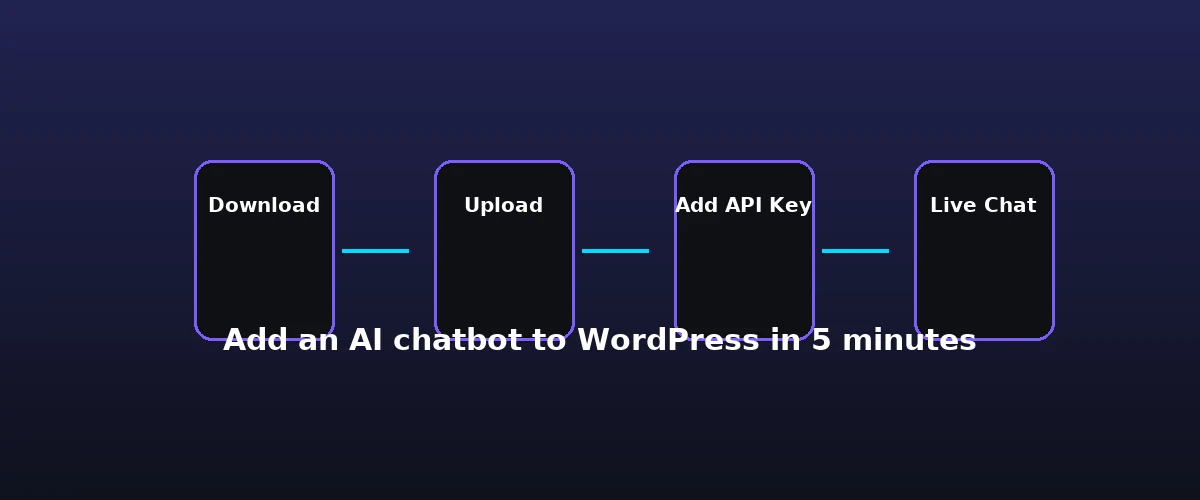
    Add an AI chatbot to WordPress in five minutes, start to finish.

    Step 1: Get the Plugin Installed

    Download and upload the plugin

    ▶ Listen to this article

    This guide shows you exactly how to add an AI chatbot to WordPress in five minutes. To add chatbot to WordPress and go live fast, follow the steps below. You have a WordPress dashboard open, a cup of coffee, and a goal: put a functioning AI chatbot on your site before your break ends. This is not a theoretical exercise. We are going to install YakWP, configure your connection to an LLM, and verify the lead capture flow in real-time. Start by heading over to the official YakWP download page to grab the plugin ZIP file. Do not worry about searching the WordPress repository; this plugin is built as a direct-download tool to keep the architecture lightweight and your server logs clean.
    AI chatbot chat interface on a smartphone
    Chat with an AI assistant from any device.

    Once the file is on your computer, log in to your WordPress admin panel. Go to Plugins > Add New > Upload Plugin. Drag your YakWP ZIP file into the installer and click Install Now, followed by Activate Plugin. At this precise moment, you have successfully deployed the infrastructure. You are now ready to hook up the intelligence layer.

    Step 2: Connect the Brain — Add Your API Key

    Your WordPress site needs a brain to process natural language. YakWP is an interface, not the model itself, which is why it requires a “Bring Your Own Key” (BYOK) setup. This approach is superior because you only pay for what you use, rather than paying a flat subscription fee to a middleman. For most users, Google Gemini is the best starting point because their free tier allows for 500 requests per day—more than enough for a typical small-to-medium business site.
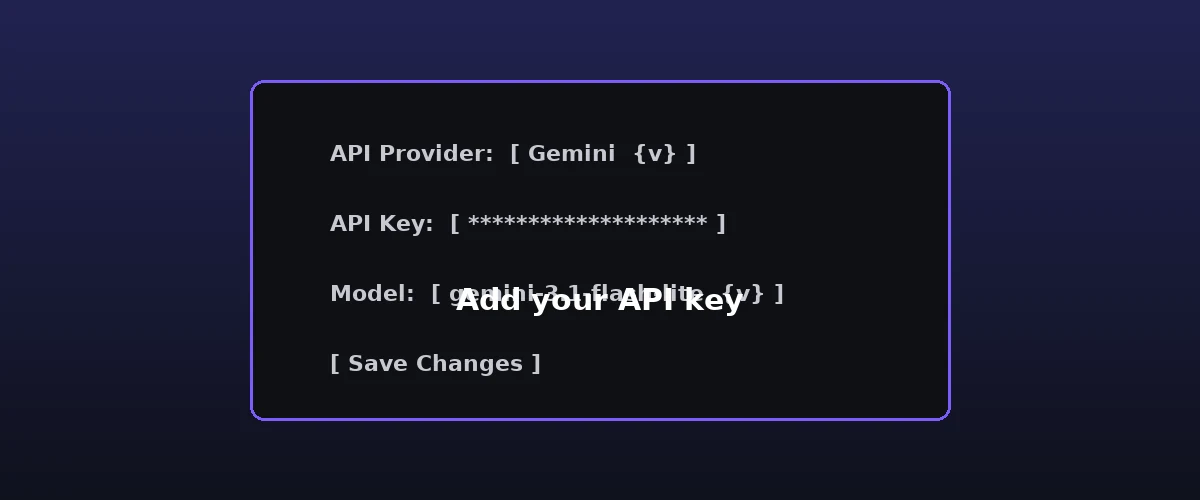
    add an ai chatbot to wordpress with an API key
    Paste your provider’s free API key into the YakWP settings field.

    Where to get your API key

    Navigate to the YakWP settings menu in your sidebar. You will see a dedicated field for your API provider. If you choose Gemini, go to the official Google AI Studio portal, generate a free API key, and paste it directly into the input field in your WordPress dashboard. Hit Save Changes. The plugin will immediately verify the connection. If the status light turns green, your site is now talking to a top-tier AI model. No middleware, no secondary accounts, just a direct line from your server to the AI provider.

    Step 3: Configure the Chat Mode
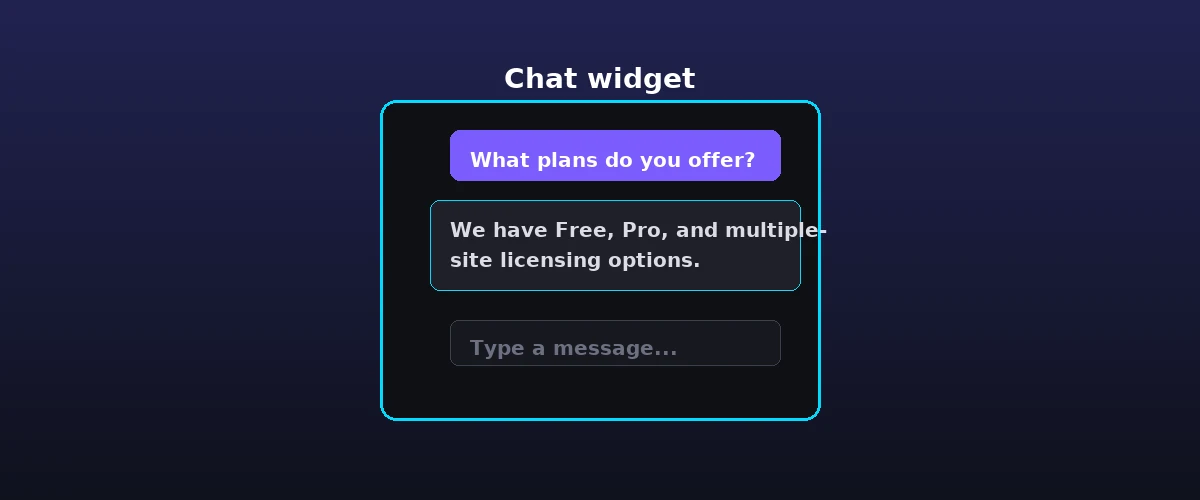
    add an ai chatbot to wordpress and configure the chat widget
    Choose the chat mode that fits how you want to talk to visitors.

    Pick the mode that fits your goal

    An AI is only as useful as its instructions. In the Modes tab of the YakWP settings, you will see four presets: Sales, Support, Explain, and Custom. If you are running an e-commerce store, select Sales. This mode is fine-tuned to recognize buying intent. When a visitor asks about your pricing or product availability, the AI won’t just ramble—it will look for an opportunity to capture their email address. This is the “Lead Capture” feature in action, which automatically triggers a prompt for the user’s contact information when it detects a high-intent inquiry.

    If you prefer a more technical approach, select Support. This tells the AI to prioritize your site’s existing posts and pages as the knowledge base. YakWP uses RAG (Retrieval-Augmented Generation) to search your internal database before answering. This means your chatbot won’t hallucinate; it will pull answers directly from your specific blog content, product descriptions, or documentation pages. Once you pick the mode, the chatbot is live on your front end.

    Step 4: Automate Your Workflow with Webhooks

    What the webhook sends

    The true power of a self-hosted AI is what happens *after* the conversation ends. In the Integrations tab, you will see a field for Webhooks. This is where you connect your chatbot to the rest of your business. If you use n8n, Zapier, or Make, simply paste your webhook URL here. Every time a visitor interacts with the chat, YakWP will bundle the conversation data—including the visitor’s original message, the AI’s response, their captured email address, the specific page URL they were viewing, and a timestamp—and send it to your chosen platform.

    This allows you to automate follow-up emails, update your CRM, or add them to a lead sheet. For a full walkthrough of the workflow side, read our guide to using a WordPress chatbot with n8n to automate your leads, or this breakdown of how chatbot webhooks work. If you already have the free plugin running and want more control, our YakWP free vs pro comparison shows what the upgrade adds.leads to a Slack channel the moment they engage with the site. Because the data originates from your own WordPress database, you have complete control over retention. You can set the plugin to keep logs for 30 days, 90 days, or indefinitely, ensuring your GDPR compliance is managed exactly how you define it.

    Step 5: Customize It for Your Brand

    By default, the free version of YakWP displays a professional, clean “Powered by Yak” branding. This is a functional, fully-featured AI assistant that gives you the same RAG capabilities as the premium version. However, if you are building an agency site or a high-end corporate presence, you may want to remove that branding or adjust the styling to match your theme perfectly. For those who need complete design control, you can check out the YakWP pricing page to upgrade to the Pro version.

    Upgrading gives you three specific, non-negotiable advantages for professional sites:

    • White-labeling: Remove all “Powered by Yak” references for a seamless, branded experience.
    • Custom CSS: Apply your exact brand colors, fonts, and widget positioning without touching a line of core code.
    • Exportable Data: Pro users can export entire conversation histories to CSV files, which is essential for auditing, training, or manual lead processing.
    These changes happen in the Appearance tab of your settings. Simply paste your custom CSS snippets into the box, save, and refresh your site. The chatbot will inherit your site’s personality instantly.

    Rate Limits, Security, and Going Live

    Security is the silent killer of many chatbot implementations. Because you are using your own API key, you need to ensure no one is spamming your bot to inflate your costs. YakWP includes built-in rate limiting. You can define how many messages a single user can send within a specific timeframe. This prevents automated bots from exhausting your free API quota, keeping your site fast and your budget predictable. It is a set-and-forget security layer that protects your server resources while keeping the user experience frictionless for actual humans.

    The entire process—from download to a live, branded AI assistant with an active API key—usually takes about five minutes. That is the practical, no-developer way to add chatbot to WordPress. The result is a fully self-hosted assistant that answers using your own content, keeps your data on your server, and costs nothing beyond the API usage. For the wider picture of what a chatbot does and why it matters, start with our what is an AI chatbot guide, or think about why bring-your-own-key matters for a self-hosted setup.webhook automation—takes roughly five minutes if you have your API key ready. You are not building a complex integration; you are simply flipping a switch on an existing, high-powered engine that lives entirely within your WordPress ecosystem. By keeping the RAG search local to your database and your chat logs inside your own SQL tables, you avoid the privacy trade-offs that usually come with third-party widgets.

    FAQ

    Do I need to pay for a subscription to use the AI features?

    No. YakWP is designed to use your own API key from providers like Google Gemini or OpenAI. You only pay the provider (like Google or OpenAI) directly based on your usage. If you stay within the free tiers provided by those services, your chatbot costs you nothing in recurring monthly fees.

    Does the chatbot slow down my website speed?

    Because YakWP is self-hosted, it does not load heavy external scripts from a third-party chat provider’s platform. The chat widget is optimized for WordPress, and all processing is handled by the API communication, ensuring your site’s PageSpeed scores remain high and your core web vitals are not negatively impacted.

    Can I use the free version for a business website?

    Yes. The free version is fully functional. It includes RAG search of your own content, lead capture, and webhook integration. The only difference between the free version and the Pro version is the presence of “Powered by Yak” branding, the ability to remove that branding, and the inclusion of advanced features like CSV exports and custom CSS editing.

    What happens to my data if I uninstall the plugin?

    When you uninstall YakWP, your conversation logs remain in your database until you delete them or choose to clear your plugin data. You own your data entirely. Because the plugin is self-hosted, you can back up your database at any time and retain a full copy of every interaction your visitors have had with your chatbot.

  • YakWP Free vs Pro: What’s the Difference?

    YakWP Free vs Pro: What’s the Difference?

    Understanding the YakWP free vs pro wordpress chatbot plugin divide

    ▶ Listen to this article

    Deciding between YakWP free vs pro comes down to a few concrete differences. Choosing the right AI chatbot for your WordPress site often feels like navigating a minefield of recurring subscriptions, hidden feature gates, and tiered plans that force you to upgrade just to access basic functionality. Many plugin developers treat their “free” versions as glorified demos—stripped-down, unusable shells designed solely to frustrate you into a monthly payment. YakWP operates differently. When we built this plugin, the goal was to provide a robust, self-hosted AI solution that works out of the box without forcing a subscription model down your throat. Deciding between the free version and the Pro tier isn’t about unlocking crippled features; it is about deciding whether you need the white-label polish and data management tools required for professional business operations.

    Free vs Pro choice comparison
    Free vs Pro: pick the tier that fits.

    The fundamental architecture of YakWP remains identical regardless of which version you choose. You retain full control over your data because the plugin is self-hosted. You bring your own API key—whether that is the free tier of Google Gemini, which offers up to 500 requests per day, or your own OpenAI credentials—meaning you never pay a middleman for the actual AI processing costs. Because the plugin processes everything on your own server, you avoid the privacy risks associated with third-party SaaS chatbot platforms that store your visitor data on their remote servers. Both versions include the core RAG (Retrieval-Augmented Generation) engine, which searches your specific posts and pages to provide accurate answers, as well as the four distinct chat modes: Sales, Support, Explain, and Custom.

    Core Functionality: What You Get for Free

    If you are looking to deploy a fully functional AI assistant without spending a cent on licensing, the free version of YakWP is designed for you. We believe that critical features like lead capture and automation should not be hidden behind a paywall. When a visitor engages with your bot and shows buying intent, the free version captures their email address just as effectively as the paid version. This data flows directly into your WordPress dashboard, where you can manage it according to your site’s needs. We include configurable conversation retention settings, allowing you to control exactly how long those logs persist in your database before being purged, ensuring you remain compliant with local storage policies.

    The integration capabilities of the free version are just as potent. We include webhook support natively, allowing you to push every conversation—including the visitor’s inquiry, the AI’s response, the captured email, the specific page URL, and the precise timestamp—directly to platforms like n8n, Zapier, or Make. This creates an automated bridge between your website and your CRM or email marketing software. Furthermore, we include a GDPR notice toggle to ensure your visitors are informed about how their data is handled. Rate limiting is also standard, preventing your API keys from being exhausted by malicious actors or excessive bot traffic. You can download the free version of YakWP here to begin testing these workflows immediately.

    The Pro Tier: Professional Polish and Data Utility

    While the free version provides the engine, the Pro tier provides the polish and the administrative overhead reduction required for scaling. The primary differentiator for Pro is white-labeling. If you are running an agency, a high-end corporate site, or simply want a cleaner aesthetic that emphasizes your brand over ours, Pro allows you to remove the “Powered by Yak” branding entirely. This creates a seamless integration where the chatbot feels like a custom-coded extension of your existing design rather than a third-party tool. You are essentially paying for the ability to present the interface as your own proprietary work.

    Beyond branding, the Pro tier focuses heavily on data portability. While the free version stores conversations in your WordPress database, the Pro tier adds a one-click CSV export feature. For businesses that need to analyze customer support trends, extract leads for bulk importing, or compile monthly reports for stakeholders, this functionality is a massive time-saver. Rather than querying your database manually, you get a clean, formatted file ready for Excel or Google Sheets. Additionally, Pro users gain access to custom widget CSS settings. If your theme uses a specific color palette, border radius, or shadow profile, you can override our default styles with custom CSS directly from the plugin settings page. This ensures the chat bubble looks like a native element of your UI, which can lead to higher engagement rates and a more cohesive user experience.

    Comparing the Decision Matrix

    To determine which path is right for you, evaluate the constraints of your current environment. The free version is an excellent choice for solo bloggers, small business owners testing the waters of AI automation, and developers who are comfortable with CSS overrides and database management. If you don’t mind the “Powered by Yak” branding and don’t require external exports of your chat logs, there is no technical limitation preventing you from running the free version indefinitely. It is a full-featured tool that leverages your own API keys to provide professional-grade support.

    The Pro tier, which retails for a single payment of EUR 64, is designed for sites where the chatbot is a primary touchpoint for customers. If you are using YakWP as a lead generation tool for a high-traffic site, the CSV export alone will pay for itself in saved administrative time. If you are an agency installing this on client sites, the ability to white-label the plugin makes it an invaluable asset for your service catalog. Since this is a per-site license, it scales proportionally with your business needs. You can view the full breakdown of benefits on our pricing page to confirm if the Pro features align with your project requirements.

    The Self-Hosted Advantage

    Regardless of whether you choose the free or Pro version, you are opting into a self-hosted architecture that keeps your data within your infrastructure. Most AI chatbot plugins on the market today operate on a subscription model because they host the AI model on their own servers, charging you a premium to cover their GPU costs. By keeping YakWP on your own WordPress installation, you avoid this trap. Your conversation data never leaves your server unless you specifically push it to an external webhook for your own internal processing. This is a critical distinction for companies handling sensitive user inquiries or those in industries with strict data residency requirements. You retain ownership of your conversations, your leads, and your configuration, ensuring that your chatbot continues to function even if our plugin site were to go offline.

    The flexibility of the “Bring Your Own API” model also means your costs are directly tied to your usage. If you use the Google Gemini free tier, your AI chatbot could essentially cost you zero dollars in recurring monthly fees. Even if you upgrade to paid tiers of OpenAI or Gemini to handle higher volume or more complex logic, those costs go directly to the AI provider, not to us. You are paying for the software license, not for access to the intelligence itself. This transparency is central to our philosophy; we provide the interface and the RAG logic, and you maintain complete control over the input and the cost of the AI processing.

    FAQ

    Is the free version of YakWP a “crippled” trial or a full product?

    The free version is a fully functional product. It includes the RAG search engine, all four chat modes, lead capture, webhook integrations, GDPR settings, and rate limiting. It is not a trial; it is a complete tool for any WordPress site that doesn’t require white-labeling or bulk data exporting.

    What happens to my conversation data in the free version?

    Your conversation data is stored directly in your WordPress database. We provide configurable retention settings, meaning you can choose to have the plugin automatically delete old conversations after a set number of days or keep them indefinitely. You have total control over this data, and it is never sent to our servers.

    Why is the Pro tier a one-time fee instead of a monthly subscription?

    We offer both. Most people who buy YakWP Pro choose the one-time fee of €64 because we believe in sustainable, predictable software — you pay once, get the pro features, and own that license forever with lifetime updates, no renewal.

    But if you prefer not to commit to a one-time purchase, you can now subscribe instead: €2.99/month or €29.90/year (billed yearly — about 2 months free). Both subscriptions unlock the same pro features (white-label, custom widget CSS, CSV export, priority support) and you can cancel anytime. Lifetime remains the best value if you plan to keep YakWP long-term — it costs only a bit more than two years of the yearly subscription and you own it forever.

    Can I switch from the free version to the Pro version later without losing my settings?

    Yes. The Pro tier is designed as an upgrade to the existing plugin. If you start with the free version and decide you need the CSS customization or CSV export capabilities, you can upgrade to the Pro version, and your existing settings, database logs, and configuration will carry over seamlessly without any manual migration required.